Why Choose a Printing Machine for Your Business?
Choosing a Printing Machine can improve daily workflow, product consistency, and cost control. It can also create new problems when selected without careful planning. A machine that looks affordable may require expensive ink, frequent servicing, or specialized training. That assumption can be wrong.
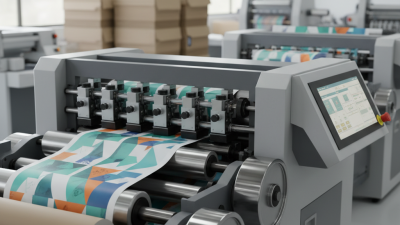
In practical business operations, print volume should guide the decision. A small design studio may need sharp color output and flexible paper handling. A retail company may value speed, labels, and dependable barcode quality. Consider a typical workday: paper stacks beside the machine, a warm control panel, and urgent orders waiting for approval. These details reveal whether the equipment fits real demands. Check print speed, resolution, media compatibility, energy use, and expected maintenance intervals. Ask for sample prints before signing a purchase agreement. Small tests matter.
Reliability also depends on the supplier. A professional vendor should provide clear specifications, installation support, operator training, and accessible replacement parts. Independent reviews and documented service records can strengthen confidence. Industry standards may support quality control, but they do not remove the need for local evaluation. Every business has different workloads. No single machine is perfect.
The best Printing Machine supports predictable production without hiding its long-term costs. Review warranty terms carefully. Compare ownership costs, not only the purchase price. A slower model might be wiser for a small team. A high-speed model might waste resources. Careful selection turns printing from a daily obstacle into a controlled business process. Even then, review the choice annually. Needs change.
Understanding the Role of a Printing Machine in Business
Why Choose a Printing Machine for Your Business?
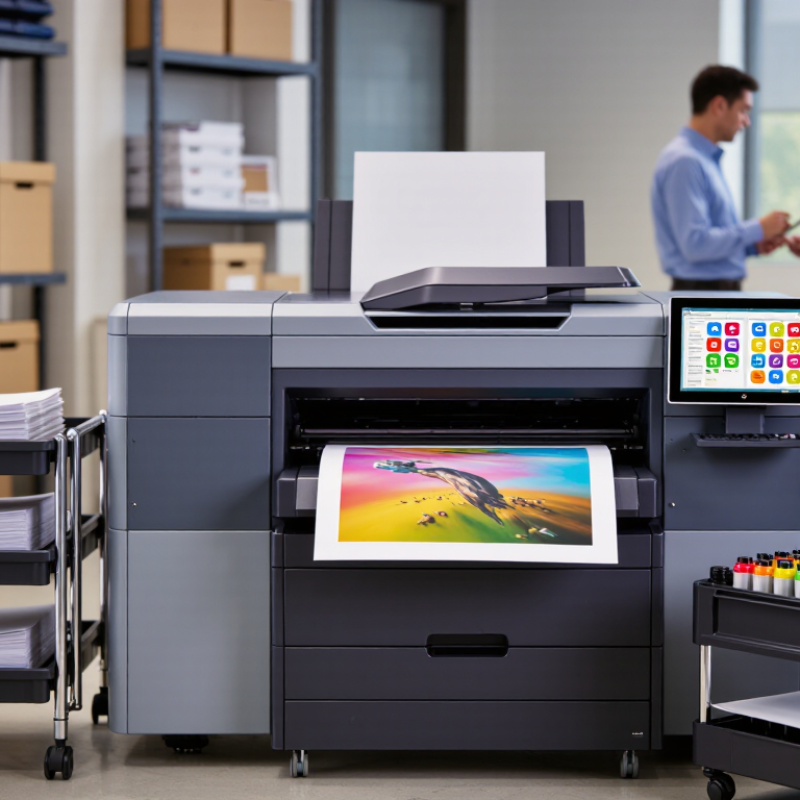
A printing machine is more than a way to put ink on paper. It gives a business control over timing, quantity, and finish. A café can update a menu overnight; a small retailer can print shelf labels for a weekend promotion. In-house equipment may reduce delays and help teams test short runs before ordering larger batches. It can also create new costs: maintenance, operator training, and unused capacity. Not always a saving.
Smithers’ 2023 analysis estimated the global print market at $818.2 billion in 2022 and forecast $846 billion by 2027. That scale reflects print’s ongoing role alongside digital channels, not a guarantee that every business needs its own machine. The right choice depends on repeat volume, deadlines, material types, and how often designs change. Track monthly print spending and turnaround times before comparing equipment. A machine that sits idle is expensive, even when it looks impressive.
Tips: List the items you print, their sizes, and monthly quantities. Ask suppliers for sample output on your actual paper or packaging stock. Check maintenance needs and per-page costs, not just the purchase price. Include the time staff will spend operating it.
Why Choose a Printing Machine for Your Business?
Match Your Printing Machine to the Paper Sizes You Need
Paper size affects what a machine can produce. A4 suits everyday documents, while larger formats such as A3 and A1 support posters, plans, and other oversized materials. Choose a machine that handles the sizes your business uses.
Paper areas are calculated from nominal ISO 216 dimensions and rounded to one decimal place.
Comparing Printing Machine Types and Core Features
Choosing a printing machine starts with the work it must handle. Sheet-fed offset presses suit long, repeatable runs: setup takes time, but the cost per copy can fall as volume rises. Digital toner and inkjet machines need less setup and make short runs, variable data, or frequent design changes easier. Smithers’ 2023 report, The Future of Digital vs Offset Printing to 2027, forecasts digital print value growing from $136.7 billion in 2022 to $230.5 billion by 2027. That points to demand, not a guarantee that digital suits every shop.
Look beyond speed. Check usable sheet or roll width, supported materials, color consistency, finishing options, and the operator time each job needs. A machine rated for high output may slow down on heavy stock or require extra drying. Test it with your actual paper, artwork, and finishing workflow. Small details matter.
Wide-format inkjet is useful for posters, signs, and other large graphics; production inkjet can handle longer runs with less setup than offset in some workflows. But ink, maintenance, and drying can change the real cost. I would compare cost per saleable copy, not the fastest advertised speed. A spreadsheet helps, though estimates can still miss waste during setup. Ask for a sample run and record print quality, time, and rejected sheets before choosing.
Choosing and Integrating the Right Printing Machine
Choosing and Integrating the Right Printing Machine
The right printing machine should fit the work you actually produce, not an imagined peak workload. Smithers’ The Future of Digital Printing to 2032 estimated the global digital-printing market at $167.5 billion in 2022, with continued growth projected. That points to a changing production mix, but market growth alone is no reason to buy. List weekly volumes, common paper sizes, finishing needs, and deadline pressure. Then compare those needs with rated speed and the machine’s real output on your chosen stock.
Integration is where small oversights become expensive. Measure doorways, floor space, and access for service before delivery. Check electrical requirements, ventilation, network compatibility, and whether existing finishing equipment can accept the output. Test representative files and materials. Test it first. A useful trial includes fine text, solid colors, duplex jobs, and a short run on heavier stock. Ask operators to record setup time, jams, and usable sheets—not just the fastest print speed.
Plan for consumables, training, maintenance, and waste as part of the purchase. The U.S. EPA reported a 68.2% recycling rate for paper and paperboard in 2018; that figure does not guarantee your shop’s waste will be recyclable. Confirm local collection requirements and separate clean offcuts from contaminated materials. A small omission can undo a careful estimate. I would also leave room in the plan for a learning curve; production rarely runs perfectly on day one.